Home/Guide

Guide

What is AI accounting software?

AI accounting software uses artificial intelligence to reduce repetitive accounting tasks such as invoice reading, transaction matching, ledger suggestions, and report preparation.

By Flick AI Team

Published 7 Jan 2026 · Last updated 25 May 2026

What AI can automate

The strongest use cases are repetitive and document-heavy. AI can read fields, organize records, suggest matches, and highlight items for review.

  • Invoice and receipt parsing.
  • Bank transaction matching.
  • Ledger suggestion and categorization support.
  • Financial report preparation from processed data.
What still needs review

AI accounting should not remove business judgement. Founders, finance teams, and CAs should still review exceptions, unusual transactions, and compliance treatment.

  • Final ledger decisions.
  • Unusual or high-value transactions.
  • Compliance filing decisions.
  • Advisor review before final submissions.

Best Fit

Who Flick AI is built for

Flick AI is not trying to be a heavy inventory ERP. It is built for invoice-led businesses and the professionals who serve them: teams where monthly accounting is mostly documents, bank transactions, reconciliations, ledgers, and financial reports.

Low-inventory and non-inventory businesses

Flick AI is best suited for service businesses, consultants, agencies, SaaS companies, professional firms, and other teams that raise and receive invoices every month but do not need heavy inventory accounting.

CAs and consultants in Tier 1 cities

For CAs and finance consultants serving non-inventory-led customers, Flick AI gives a repeatable monthly workflow for document collection, invoice parsing, reconciliation, ledger review, and report preparation.

Founders who want accounting compressed

The goal is simple: founders should focus on business through the month, then spend roughly 1-2 focused hours reviewing bookkeeping and cleaning financial sheets instead of chasing accounting tasks every week.

Product Workflow

See the full monthly accounting walkthrough

This resource focuses on what is ai accounting software?. For the complete step-by-step workflow, see the main Flick AI guide covering upload, parsing, reconciliation, ledger review, and reports.

Read the full workflow

Product Proof

Screens from the Flick AI workflow

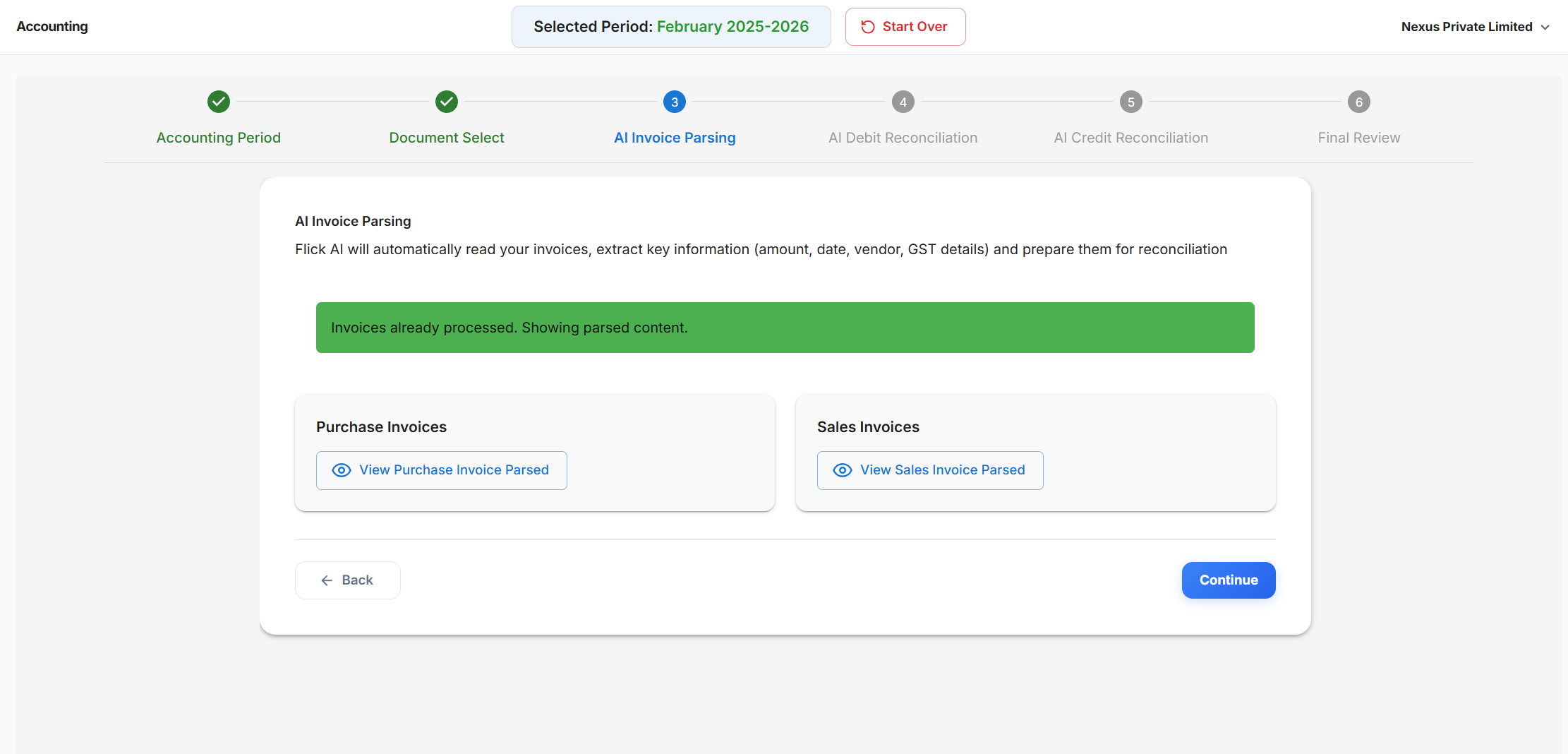
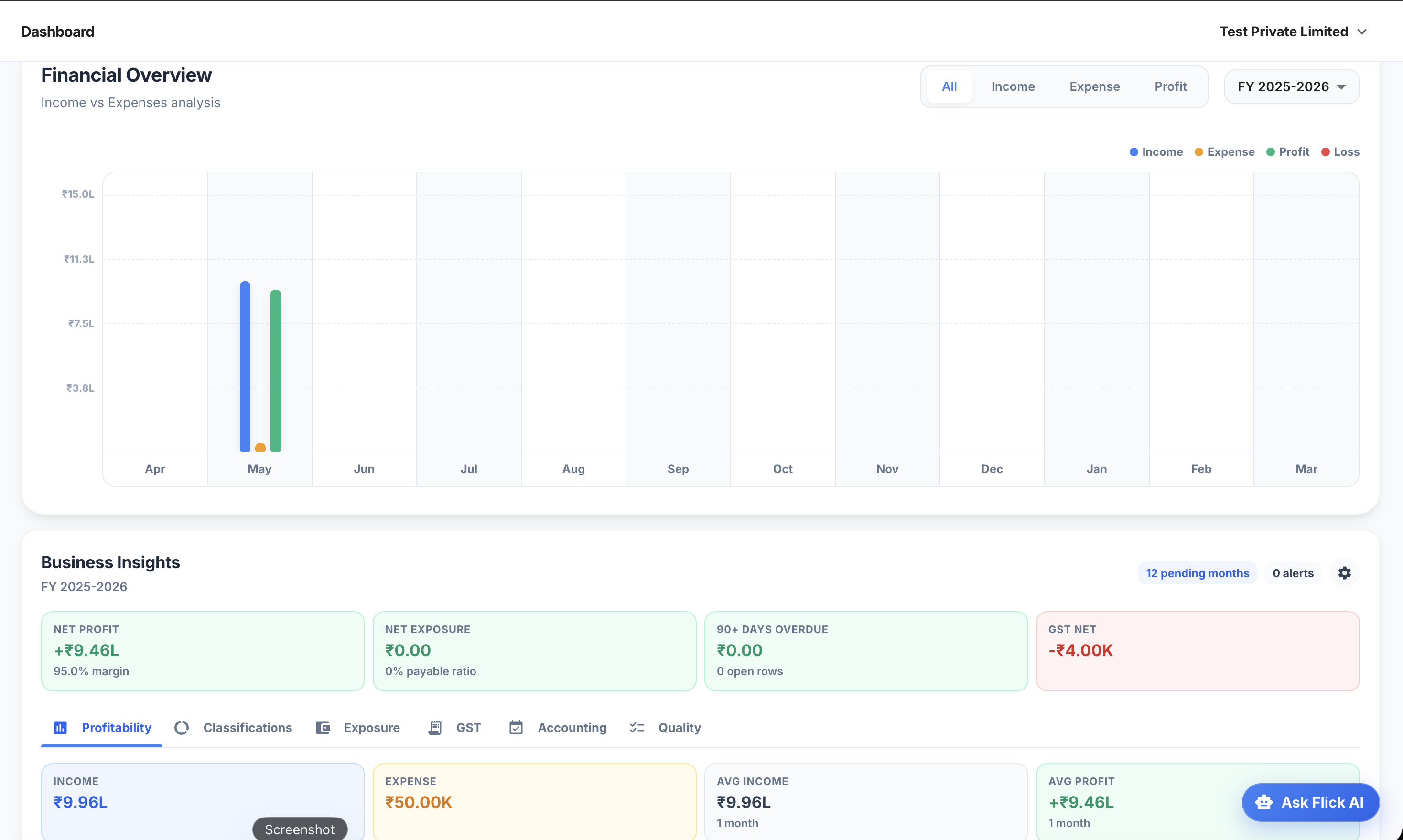
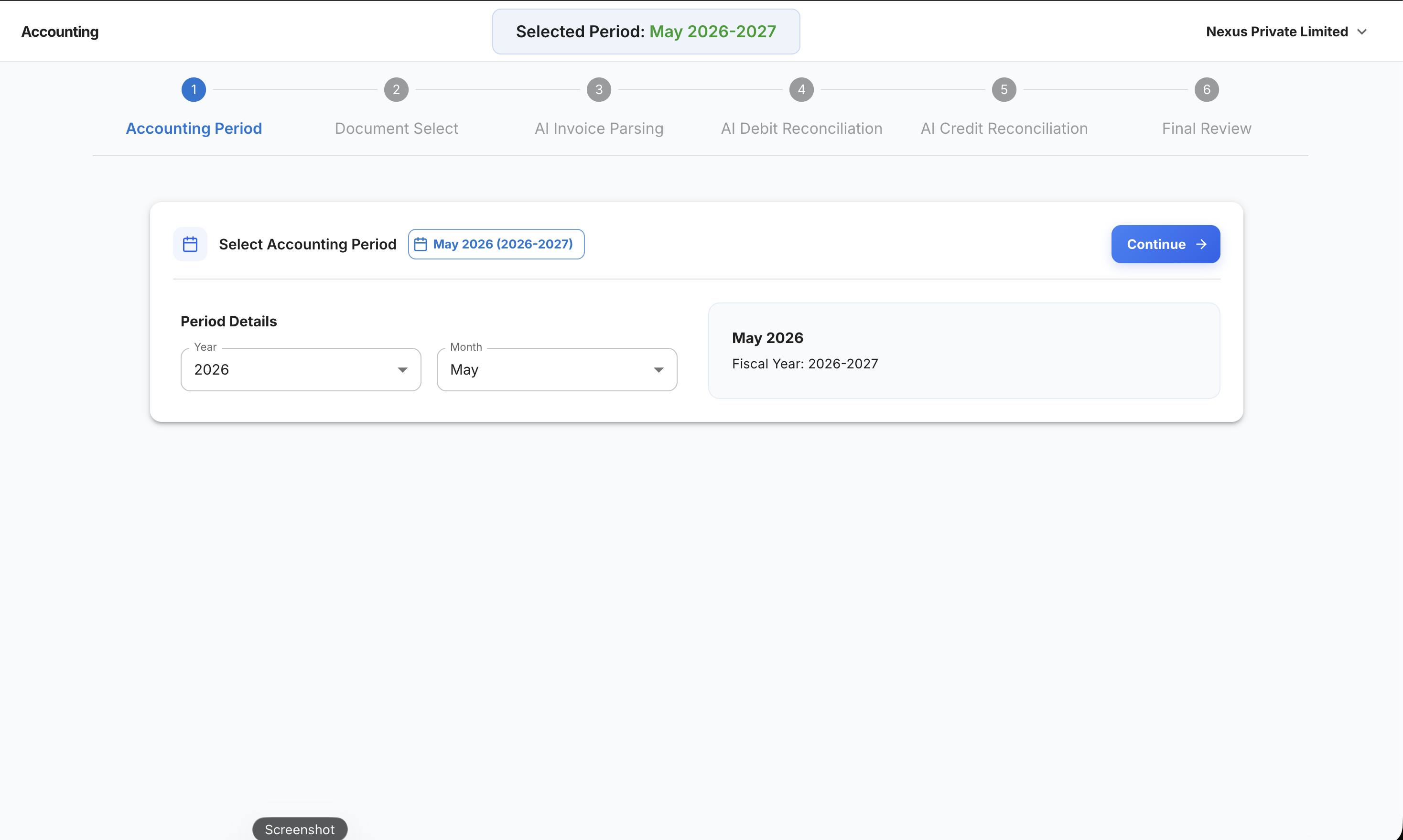
Instead of defining AI accounting in abstract terms, these screens show what it looks like in practice: a guided workflow, parsed documents, reconciliation, and reports.

Flick AI accounting workflow screen for choosing month and year
Choose the month and year before starting accounting. This is the first checkpoint in the guided accounting flow before documents, parsing, reconciliation, and ledger review begin.

What this proves for buyers

  • AI accounting starts with source documents, not a blank ledger.
  • The product keeps extracted fields reviewable instead of blindly automating every decision.
  • Dashboards help non-accountants understand where monthly accounting stands.

Key Capabilities

What this means in practice

Document intelligence

AI turns PDFs, scans, bills, and receipts into structured accounting fields.

Matching intelligence

AI helps connect invoices and payments during bank reconciliation.

Review intelligence

Good accounting software makes the review layer clearer for people.

AI accounting examples

TaskAI roleHuman role
Invoice readingExtract fieldsCheck correctness
Bank matchingSuggest matchesReview exceptions
Ledger codingSuggest categoriesApprove treatment
ReportsPrepare from dataUse for decisions

FAQ

Common questions

Is AI accounting software the same as bookkeeping software?

AI accounting software usually includes bookkeeping workflows but adds automation for document reading, matching, and review support.

Can AI accounting software work for Indian GST?

It can support GST accounting workflows when it captures invoice and tax details and keeps accounting records clean for review.

Should small businesses use AI accounting?

Small businesses with recurring invoices, bank statements, GST review, and monthly reports can benefit from AI accounting automation.

Try Flick AI

Test AI accounting on your own monthly workflow

Start with a 14-day free trial or book a demo to see how Flick AI handles invoice parsing, reconciliation, GST/TDS support, and reports for Indian businesses.